Tips & Frequently Asked Questions
Quick answers to the questions people ask most.
Does my work save automatically?
No — to be safe, click the white "Save Draft" button in the editor as you work. When it shows "Saved!" in green, your information is stored. Always save before you close the page or sign out.
Can I stop and come back later?
Yes. Once you have saved, you can close the browser, sign in again later, and continue. Every patient on your Dashboard shows its current status so you know what is left.
A patient came in without using my link. What do I do?
On the Dashboard, click "+ Create Submission". A new empty record opens. Fill in the patient's details in Step 1 (Applicant Intake) yourself. See Your Dashboard.
Why are some disease sections missing?
The website automatically hides screenings that do not apply to the patient's age (for example, Gonorrhea testing is only for ages 18–24). A blue note at the top of the worksheet tells you exactly what was hidden and why. See Completing a Submission.
Do I have to enter the civil surgeon information every time?
No. Part 7 (your civil surgeon details) is filled in automatically from your clinic settings. To change it, update your Settings once.
Can I edit a form after I generate the PDF?
Yes. Open the record any time, make your changes, and click "Generate PDF" again for an updated copy.
How do I report a problem or send feedback?
There is a small dark circle with a bug icon in the bottom-right corner of every page inside the app.
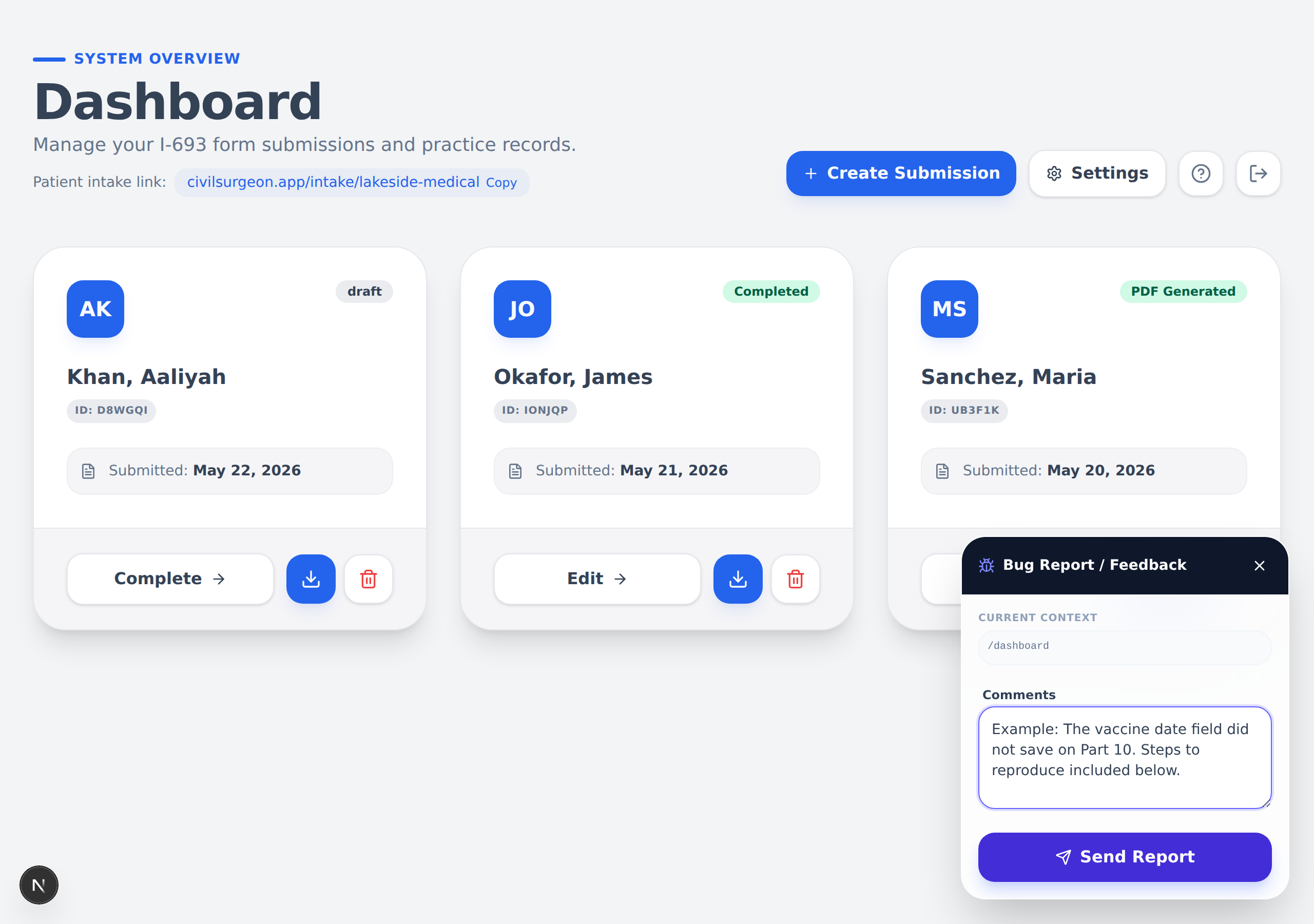
- Click the bug icon in the bottom-right corner.
- A panel opens. It already shows which page you are on.
- Type your message in the "Comments" box.
- Click the purple "Send Report" button.
- You will see a "Thank you!" note, and the panel closes on its own.
Use this for anything — a bug, a question, or a suggestion. Your current page is included automatically, which helps us understand the issue.
How do I change my patient link?
Go to Settings, find the "Patient Intake Link" section, and click "Change".
Changing your link breaks any link you have already shared with patients. Only change it if you really need to.
How do I manage or cancel my subscription?
Go to Settings and click "Manage Subscription" at the bottom. This opens Stripe's secure billing portal, where you can update your card, view invoices, or cancel.
What happens if I cancel?
Your data is kept, but you will not be able to use the dashboard, generate PDFs, or receive new patient submissions, and your patient link will show "Form Unavailable" until you subscribe again.
Which browsers work?
Civil Surgeon works on modern browsers such as Chrome, Safari, Firefox, and Edge — on computers, tablets, and phones.
Next: Back to the start →